
Load The Truck Controls and Interaction Guide
Learn the verified Load The Truck interaction loop for picking up boxes, delivering stacks, using shops, waking workers, and rebirthing.
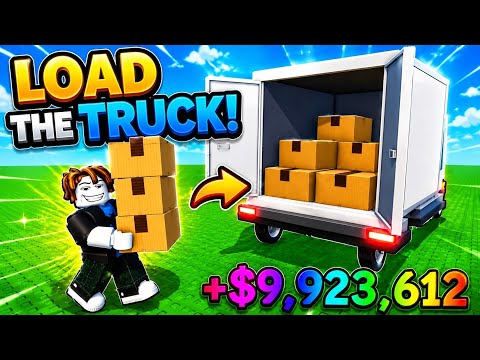 Media resmiLearn the verified Load The Truck interaction loop for picking up boxes, delivering stacks, using shops, waking workers, and rebirthing.YouTube
 Load The Truck is driven by short interactions rather than a documented driving control scheme. The source footage confirms what each station does, but it does not reliably show a complete keyboard, controller, or mobile button map. Use the prompts displayed by Roblox on your device when a specific input is required.
Pick up and stack boxes
Approach the active box pile and use the interaction prompt to collect boxes. The documented starter limit is three boxes at once. Continue collecting until your current stack is full, then move toward the truck instead of making a partly filled trip.
Stack Size raises the number the player can carry. Box Speed is a separate upgrade, so do not assume that increasing the stack also changes production speed.
Deliver at the truck circle
Walk into the marked delivery circle at the rear of the truck while carrying boxes. The boxes unload and contribute Cash through the current truck-loading cycle. The source walkthrough shows this as the core manual loop.
The available evidence does not show a player driving the truck along roads. Pages claiming gear changes, trailer coupling, fuel controls, or highway steering were excluded because they describe other trucking games.
Use the progression stations
- Open the player upgrade station for Walkspeed, Stack Size, Box Speed, and Box Luck.
- Use the worker counter to hire loaders and improve their Speed, Stack, Luck, or Energy.
- Check the box shop before buying a stronger cargo tier.
- Use the parking purchase only when another truck-loading position is the measured bottleneck.
- Open mail when a reward is available, and read the rebirth panel before confirming a reset.
Live prompts and prices are authoritative because the developer can change them after this dated guide.
Wake workers and keep loading
A sleeping worker stops carrying boxes. Interact with that worker to wake it, then consider Worker Energy if interruptions happen often. Manual deliveries can continue while hired workers load automatically.
Frequently asked questions
What are the PC keys?
The reliable sources do not document a full key map. Follow the Roblox interaction prompts shown on screen.
How do I deliver a box?
Carry the box stack into the marked circle at the truck's rear.
Can I drive the truck?
Driving controls were not verified in the official description or supplied source footage, so this Wiki does not claim a drivable route system.
Panduan terkait
How to Earn Money Fast in Load The Truck
Improve Load The Truck Cash per minute with full box stacks, better box values, Walkspeed, workers, documented rewards, and timely rebirths.
Load The Truck Beginner Guide: First Boxes to Rebirth
Follow the sourced Load The Truck beginner route from the first box and worker to upgrades, Luck, Cash farming, and the first rebirth.
Load The Truck Rebirth and Progression Guide
Plan the first Load The Truck rebirth at the documented $5,000 requirement and rebuild boxes, workers, and upgrades efficiently after reset.